Published • loading... • Updated
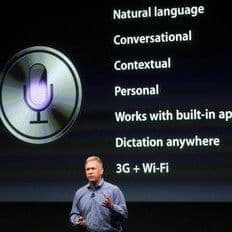
How to Fix Siri Not Responding
Summary by Digital Phablet
 This story is only covered by news sources that have yet to be evaluated by the independent media monitoring agencies we use to assess the quality and reliability of news outlets on our platform. Learn more here.
1 Articles
1 Articles

How to Fix Siri Not Responding
If your Siri isn’t responding, it can be frustrating, but don’t worry—there are simple steps to fix the problem. Here’s a easy guide to get Siri back up and running on your device. First, make sure your device has a good internet connection. Siri relies on internet to work properly, so check if Wi-Fi or mobile data is turned on and working. You can do this by opening the Settings app and looking at your Wi-Fi or cellular data icons. Next, restar…
Coverage Details
Total News Sources1
Leaning Left0Leaning Right0Center0Last UpdatedBias DistributionNo sources with tracked biases.
Bias Distribution
- There is no tracked Bias information for the sources covering this story.

Factuality
To view factuality data please Upgrade to Premium